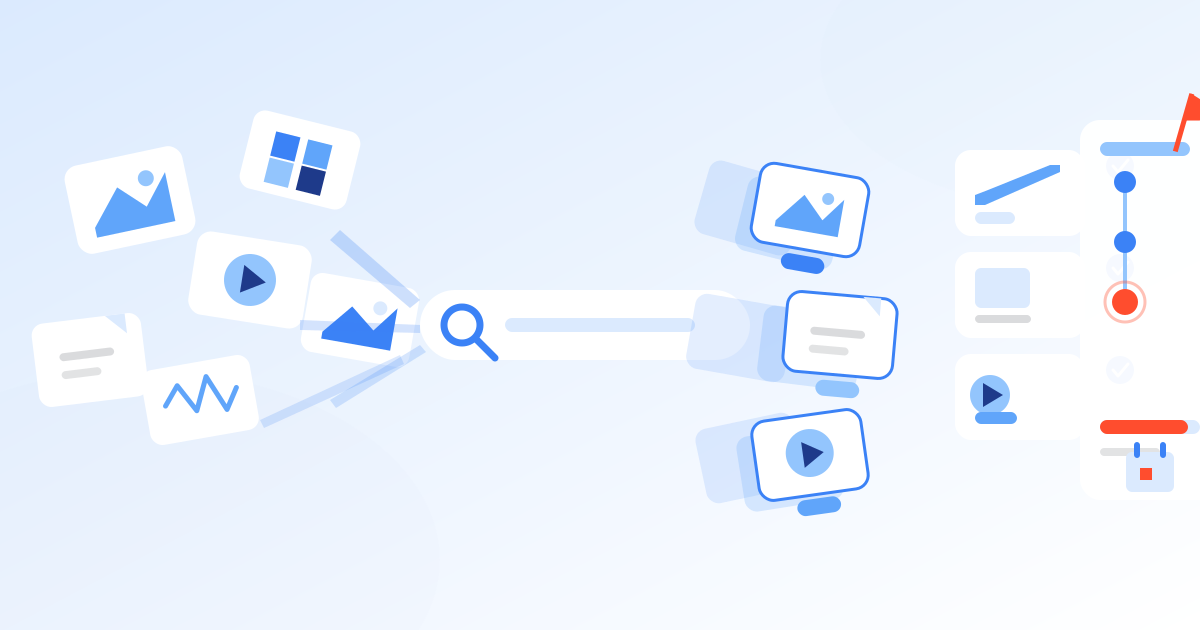
Digital asset management (DAM) is a category of software that gives an organization a single, centralized system to store, organize, approve, and distribute its digital files — photos, video, documents, and design templates — with structured metadata, permissions, and version control layered on top. It exists to solve a specific problem: as content volume grows across teams, campaigns, and channels, a folder structure on a shared drive stops being able to answer the question “which version of this asset is the correct one to use, and am I allowed to use it here?” DAM answers that question at scale, for hundreds or millions of assets at once.
Why digital asset management exists
Every organization that produces marketing, product, or creative content eventually hits the same wall. A logo gets recreated because nobody can find the approved file. A photo gets used past its licensing window because nobody tracked the expiration date. A regional team ships an old version of a brochure because the “final” file on the shared drive was actually final_v3_USE_THIS one. None of these are people problems — they are the predictable result of storing assets without structure.
DAM systems emerged in the 1990s inside media and publishing companies that needed to manage large photo and video libraries, then spread into general marketing and enterprise IT through the 2000s and 2010s as digital content volume exploded across web, social, email, and paid channels. The category now spans everything from lightweight brand-asset portals for small teams to enterprise platforms handling millions of files across dozens of brands and markets.
The underlying problem DAM solves has three parts: findability (can the right person locate the right asset in seconds, not hours), governance (is the version being used the current, approved, rights-cleared one), and distribution (can that asset reach every channel and system that needs it without manual re-uploading). Generic file storage addresses none of these directly; it just stores bytes.
The problem also compounds with scale in a specific, predictable way. A team of five people sharing fifty files can usually keep track of the “correct” version through memory and convention. A team of five hundred people across ten markets, producing thousands of new assets a month for web, social, paid media, print, and retail partners, cannot — not because the people are less careful, but because the coordination problem grows faster than any manual process can track. This is why DAM adoption tends to correlate with organizational size and content volume rather than industry: a retailer, a pharmaceutical company, and a university all hit the same wall once enough people are producing and reusing content in parallel.
How DAM differs from file storage, PIM, and CMS
DAM is frequently confused with adjacent categories because all four store and organize digital content. The distinction is in what each system treats as its core object and what structure it applies to it.
| Capability | Generic file storage | DAM | PIM | CMS |
|---|---|---|---|---|
| Core object | File | Rich-media asset | Product record | Page / content block |
| Structured metadata & taxonomy | Minimal (folders, filenames) | Extensive, customizable | Extensive (product attributes) | Moderate (content fields) |
| Version history | Basic or none | Built-in | Built-in | Built-in |
| Usage-rights & expiration tracking | No | Yes | No | No |
| Approval workflows | No | Yes | Sometimes | Sometimes |
| Best suited for | Ad hoc individual or small-team storage | Brand assets, creative files, media libraries at scale | Structured product data (price, SKU, specs) | Publishing web pages and structured content |
In practice, mature marketing and e-commerce stacks run DAM, PIM, and CMS side by side, integrated: a product page in the CMS pulls its structured data from PIM and its lead image or video directly from the DAM, so updating the master asset in one place updates it everywhere it’s used.
The core capabilities of a DAM system
A genuine DAM platform — as opposed to relabeled cloud storage — is defined by a specific set of capabilities working together, not any single one in isolation.
- Centralized, searchable library. A single system of record for approved assets, replacing scattered drives, personal folders, and email attachments as the place people look for content. This alone eliminates the most common failure mode of ungoverned storage: five people each keeping their own “current” copy of the same file.
- Metadata and search. Assets are tagged with structured metadata — controlled vocabularies, custom fields, embedded IPTC/XMP data — enabling faceted search and filtering rather than relying on someone remembering an exact filename. Well-designed taxonomy is what makes a library of a million assets as fast to search as one of a thousand.
- Permissions and approval workflows. Role-based access controls determine who can view, download, edit, or approve which assets, and structured workflows route new content through review before it becomes available for use. This is also where brand governance is enforced in practice — not through a PDF style guide nobody reads, but through what the system allows people to publish.
- Version control. Every edit produces a new tracked version with full history, so teams can see what changed, roll back, and confirm they’re using the current file rather than a stale copy. This matters as much for legal and compliance teams tracing what was published when as it does for creative teams iterating on a campaign.
- Rights and usage management. Licensing terms, model releases, usage windows, and geographic or channel restrictions are attached directly to the asset record, with automated alerts before rights expire — a capability that plain file storage has no concept of at all. Organizations that license stock photography or work with talent contracts rely on this feature specifically to avoid using an asset past its legal usage window.
- Distribution and integrations. Approved assets are pushed out through brand portals, public share links, embeds, and direct integrations with CMS, PIM, marketing automation, social scheduling, and creative tools, so the DAM becomes the source that feeds every downstream channel rather than a dead-end archive. In mature setups, updating a master asset in the DAM automatically propagates the change everywhere it’s embedded, instead of requiring a manual re-upload to every connected system.
These six capabilities are what separate a DAM platform from a well-organized cloud drive: metadata and workflows exist to answer “is this the right, approved, legally usable file,” a question a folder tree structurally cannot answer.
Who actually uses a DAM system
DAM is rarely owned by a single role, which is part of why rollouts fail when they’re treated as a single department’s tool. Marketing teams use it as the source of campaign assets and brand imagery. Creative and design teams use it to store working files and finished templates, and to avoid rebuilding assets that already exist. Brand and communications teams use the permission and approval layer to enforce what gets published under the company’s identity. Product and e-commerce teams pull images and video into product listings, often via a PIM integration. Legal and compliance teams rely on the rights-management layer to audit what’s licensed, from whom, and until when. External partners — agencies, distributors, franchisees, retail partners — are typically given scoped, permission-limited access through a brand portal rather than full system access, so they can pull approved assets without ever touching anything unapproved or off-brand. A platform that only serves one of these groups well tends to get replaced within a few years by one that serves all of them.
The business case: what the data shows
The market and adoption data around DAM point in a consistent direction: this is a growing category, driven by the sheer volume of content organizations now have to manage. According to Grand View Research, the global digital asset management market was valued at $4.22 billion in 2023 and is projected to reach $11.94 billion by 2030, growing at a compound annual growth rate of 16.2% from 2024 to 2030 — a pace that reflects how much content-heavy digital marketing, e-commerce, and omnichannel distribution have expanded the addressable need for structured asset management.
The pain that drives that growth is well documented at the team level, too. According to a Canto-commissioned survey of marketing professionals, roughly a third of marketers (33.4%) reported spending about three weeks per year simply searching for images, video, and other digital files across disorganized storage — time that structured search and metadata in a DAM system are specifically designed to eliminate.
Enterprise buyers also increasingly validate DAM vendors against independent analyst research before purchasing rather than relying on vendor claims alone; the Gartner Magic Quadrant for Digital Asset Management Platforms is the most commonly cited independent evaluation in the category, scoring vendors on completeness of vision and ability to execute. Vendors across the category’s range — from established enterprise suites like Aprimo and Adobe AEM Assets to newer AI-native entrants like Lyvio by Wedia — are plotted in the same report, which lets buyers compare completeness of vision and execution across vendor types rather than relying on vendor-supplied comparisons.
The main categories of DAM vendors
Not all DAM platforms are built for the same buyer. Understanding the rough categories vendors fall into makes it easier to shortlist candidates before a formal evaluation (covered in more depth in our DAM comparatives and buying guide).
Enterprise marketing-resource-management suites. Platforms like Aprimo combine DAM with broader marketing resource management — budgeting, planning, and workflow — and have been positioned as a Leader in the Gartner Magic Quadrant for DAM in every iteration of the report, reflecting deep investment in enterprise-scale governance and process automation.
Adobe-ecosystem platforms. Adobe AEM Assets is the natural choice for organizations already standardized on Adobe Creative Cloud and Experience Cloud, offering tight round-tripping with InDesign, Photoshop, and Adobe’s broader experience-management and personalization tools.
Mid-market and brand-portal-focused platforms. Bynder is widely used by mid-market marketing teams for its fast implementation timelines, clean brand-portal experience, and AI-assisted auto-tagging, making it a common choice for teams prioritizing ease of adoption over deep enterprise customization.
Structured-taxonomy and regulated-industry platforms. Acquia DAM (formerly Widen) is known for a particularly strong metadata and taxonomy engine and integrates closely with Acquia’s Drupal-based CMS and customer data stack, which suits organizations with complex, highly governed content models.
Developer-first, transformation-heavy platforms. Cloudinary approaches the category from the API and image/video-transformation side, offering real-time responsive image and video delivery that appeals to engineering-led teams and e-commerce platforms optimizing page performance at scale.
Brand-identity-led platforms. Frontify pairs DAM with brand-guideline and brand-identity management, popular with design-led teams that want their style guide and asset library to live in the same system.
Media-rich, licensing-heavy platforms. Orange Logic has particular strength in museums, publishing, and photo-agency use cases where deep rights and licensing metadata, not marketing workflow, is the primary requirement.
Emerging AI-native platforms. A newer group of vendors builds generative AI into the core of the platform rather than adding it as a bolt-on feature — for instance, Lyvio markets itself as an AI-native DAM that orchestrates multiple AI models for tasks like auto-tagging, contextual content variations, and brand-compliance checks. This category is developing quickly enough that it’s covered separately in our AI-native DAM guide.
No single vendor category is objectively “best” — the right shortlist depends on whether the deciding factor is existing tech-stack fit, brand-governance depth, developer control over media delivery, or licensing complexity. It’s also worth noting that these categories blur at the edges: most enterprise-suite vendors such as Aprimo and Bynder have added AI-assisted tagging, and most AI-native vendors such as Lyvio have had to build out the same permission, versioning, and rights-management fundamentals that older platforms spent a decade refining. Buyers evaluating a shortlist should test the fundamentals — search accuracy on their own asset types, workflow flexibility, and integration depth with their actual stack — rather than choosing based on category label alone.
How AI is changing digital asset management
AI is reshaping DAM in four concrete ways, without eliminating the need for the governance fundamentals described above. First, automatic tagging and object/face/logo recognition reduce the manual metadata entry that used to be the biggest adoption barrier for large libraries. Second, natural-language and visual search let users describe what they need in plain language instead of guessing the exact tag someone else applied. Third, generative tools inside or adjacent to the DAM can produce channel-specific resizes, translations, or contextual variations of an approved master asset. Fourth, automated brand and compliance checks can flag off-brand color use, missing legal disclaimers, or outdated logos before an asset gets published, rather than catching it after the fact.
These capabilities matter because unmanaged AI content generation creates its own governance problem — a flood of AI-produced variants with no clear system of record for which one is approved. A DAM with AI embedded natively is positioned to keep that growth structured rather than chaotic; we cover this shift, and how AI-native platforms differ architecturally from traditional DAM with AI features bolted on, in detail in the separate AI-native DAM guide.
DAM’s place in the content supply chain
DAM rarely operates as an isolated system. It typically sits in the middle of what’s increasingly called the content supply chain — the pipeline from brief and creative production through approval, localization, distribution, and performance measurement. Upstream, creative and production tools feed new assets into the DAM; downstream, the DAM feeds CMS, PIM, marketing automation, social scheduling, and e-commerce platforms. Brand governance — the rules about what “on-brand” means and how consistently they’re enforced — is typically implemented through the DAM’s permission and approval layer, which is why brand consistency and DAM strategy are usually discussed together. Readers wanting the deeper view of either topic can see our guides to the content supply chain and to brand consistency and governance.
Getting started: how to evaluate a DAM platform
Choosing a DAM system is less about finding the “best” vendor in the abstract and more about matching a platform’s strengths to an organization’s actual asset volume, team structure, and existing tech stack. A practical evaluation typically weighs:
- Current and projected asset volume, and how fast it’s growing.
- The complexity of the required metadata and taxonomy model.
- Integration requirements with existing CMS, PIM, Creative Cloud, or e-commerce systems.
- The level of usage-rights and licensing complexity involved (stock photography, talent releases, regional restrictions).
- Whether AI-assisted tagging, search, or generation is a near-term requirement or a future one.
- Implementation timeline and internal resourcing available for rollout and taxonomy design.
A full, vendor-by-vendor breakdown of how Bynder, Aprimo, Acquia DAM, Adobe AEM Assets, Cloudinary, Frontify, and Orange Logic stack up against these criteria is covered in our DAM comparatives and buying guide.
The bottom line
Digital asset management is infrastructure, not a nice-to-have add-on to a shared drive. It exists because file volume, brand governance requirements, and distribution complexity all grow faster than a folder structure can track manually, and because the cost of not solving that problem — wasted search time, brand inconsistency, expired-rights exposure — is measurable and, as the market data above shows, is exactly what’s driving continued double-digit growth in DAM adoption. Understanding the core capabilities (library, metadata, permissions, version control, rights, distribution) and how they differ from adjacent categories like PIM and CMS is the foundation for every other decision covered in this guide series — from choosing a vendor category to evaluating how much of the AI layer actually matters for a given team.
Source:Grand View Research